
1. Windy as a global wind map and forecast dashboard
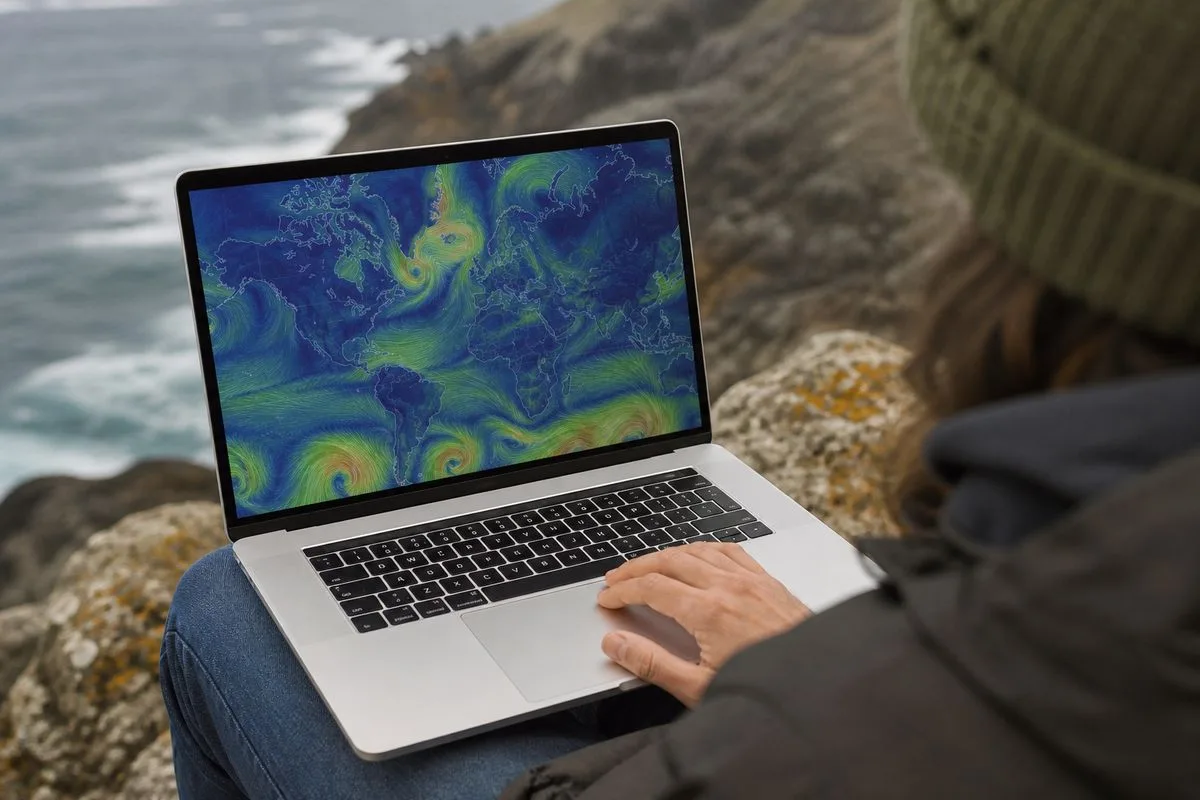
What it is: Windy is best known as a worldwide animated weather map that makes wind, radar, and marine conditions feel instantly readable. That is the core “news” in the current wave of attention around the product in 2026, it keeps being recommended across communities because it visualises raw forecast model output in a way normal people can actually use. And yes, it is a big deal for anyone who lives by the wind, kiters, sailors, pilots, paragliders, surfers, and plenty of cyclists and runners too.
In practical terms, this is the Windy experience people talk about: open the map, see the wind field, scrub time forward, and get a quick sense of what is coming. The key point, echoed in meteorology community discussions in February 2026, is that Windy is a platform for displaying model data, not a single “magic” forecast. That distinction matters, because it changes how readers should judge accuracy. Windy can look authoritative, but it is only as good as the model and inputs selected.
Key features and pros:
- Worldwide animated weather map focused on wind, but also commonly used for radar and marine context.
- Designed for wind dependent activities, including kiters, surfers, paragliders, pilots, and sailors.
- Clear visual interface that makes it easier to interpret model output quickly.
- Useful as a “big picture” tool before checking local warnings and observations.
Pricing or availability: Windy is available as a web service and as a mobile app; the Google Play listing positions it as offering “better quality information than other weather apps’ pro features”, but the source material does not provide specific prices.
Verdict: Windy is the best starting point for a fast, global wind read, as long as it is treated as a decision aid, not the final word.

2. Windy for choosing and comparing forecast models (the “don’t trust one model” approach)
What it is: A recurring theme in meteorology discussions is that Windy “presents raw model outputs as is” in a clean interface. That is both its strength and its trap. The strength is transparency, users can see what a model is saying without a lot of editorial smoothing. The trap is that people can mistake a model run for reality, especially when the map looks crisp and confident.
In 2026, the most useful way to think about Windy is as a model comparison workbench. Community commentary from November 2024 still rings true today: Windy is “just a platform” that visualises data from various models and sources, and it is up to the user to choose the most accurate model for their location and situation. That is not exactly groundbreaking for forecasters, but for everyday users it is a mindset shift. Instead of asking “is Windy accurate”, the better question is “which model is behaving best for this pattern, here, right now”.
Key features and pros:
- Model output presented in a consistent visual format, making side by side mental comparison easier.
- Helps users spot disagreement between model scenarios, which is often where risk lives.
- Encourages better forecasting habits when paired with observations and official warnings.
- Useful for planning outdoor windows, especially when timing matters more than exact numbers.
Pricing or availability: Available on web and mobile; the source material does not list model access tiers or paywalls.
Verdict: Windy is at its best when it is used to compare models and uncertainty, not to chase a single “perfect” forecast line.
3. Windy for radar context and short term decision making
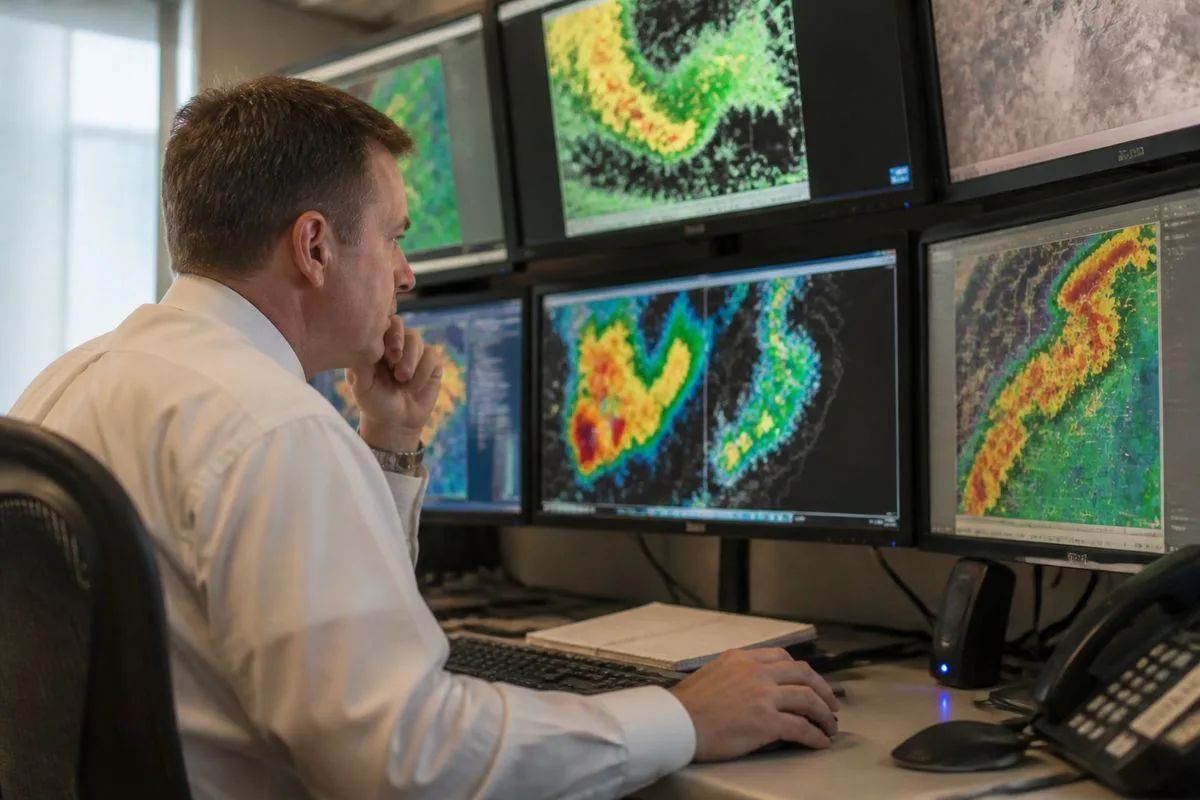
What it is: People often arrive at Windy for wind, then stay because radar and near term context make the wind forecast more actionable. The source material explicitly highlights weather radar as part of the product’s appeal, alongside wind and waves. That combination matters because wind impacts are rarely isolated. A squall line, a sea breeze boundary, or a frontal passage changes everything, and radar gives users a reality check against what the models suggested earlier.
There is also a behavioural angle here. Wind forecasts can tempt users into overconfidence, especially for sports. Radar, by contrast, tends to make people more cautious because it shows active weather in motion. That is a good thing. For a sailor deciding whether to leave harbour, or a paraglider deciding whether to wait another hour, the “what is happening now” layer can be the difference between a smart call and a story they would rather not tell later.
Key features and pros:
- Radar layer provides immediate situational awareness to complement model forecasts.
- Supports short term planning where timing and safety margins are tight.
- Pairs naturally with wind visualisations to interpret gust fronts and storm outflows.
- Helps users avoid relying solely on a forecast made hours earlier.
Pricing or availability: Radar is presented as part of the Windy offering in the source material; no pricing details are provided.
Verdict: For real world decisions, Windy’s radar context is a practical safety upgrade, especially when conditions are changing quickly.
4. Windy for waves and marine planning (sailors, surfers, kiters)
What it is: Windy is positioned, in the source material, as a wind and waves forecast tool for water users. That matters because wind alone is not the whole story offshore or on the coast. A moderate wind over a long fetch can build nasty seas, while a stronger offshore wind might flatten the nearshore but create other hazards. The point is not to turn every reader into an oceanographer, it is to make sure the forecast matches the activity.
And this is where Windy’s visual approach shines. Marine users often think in patterns and gradients, not just numbers. They want to see how a wind field lines up with coastline shape, how a system moves, and how long a given direction persists. A map that animates those changes can be more useful than a table of hourly values, particularly for route planning or deciding whether a session is worth the drive.
Key features and pros:
- Waves forecast included alongside wind, supporting marine decision making.
- Designed with sailors, surfers, and kiters in mind, not as an afterthought.
- Animated map helps users visualise how conditions evolve over time.
- Useful for identifying sheltered spots versus exposed stretches of coast.
Pricing or availability: Waves forecasting is referenced in the source material; no subscription details are provided.
Verdict: Windy is a strong marine planning companion, particularly for users who think visually and need to understand change over time.
5. Windy for aviation and paragliding style risk checks
What it is: The source material explicitly lists pilots and paragliders among Windy’s target users. That is not a casual inclusion. Wind direction shifts, shear, and gustiness can turn a routine flight into a high workload situation fast. Even for experienced flyers, the value is in spotting red flags early, strong gradients, rapidly changing flow, or a timing mismatch between take off and landing windows.
But there is a crucial caveat, and it comes straight out of the community tone around Windy in 2026. Windy is “not a bad tool per se”, but it should be “one of many”. Aviation and free flight are domains where official briefings, local knowledge, and real time observations are not optional extras. Windy can help a pilot ask better questions, but it cannot replace the systems built for safety critical decision making.

Key features and pros:
- Built for wind sensitive users, including pilots and paragliders.
- Map based view helps identify broader scale flow patterns and timing.
- Useful for pre planning and for spotting potential hazard windows.
- Encourages cross checking with other sources when used responsibly.
Pricing or availability: Available on web and mobile; the source material does not specify aviation specific pricing.
Verdict: Windy is a valuable pre flight planning lens, but it must sit alongside official aviation weather products and local expertise.
6. Windy for “is it always so windy?” reality checks (and why locals sound so confident)
What it is: Not everyone searches “windy” because they want a forecast model. Plenty of people are asking a simpler question: is this place always like this. A community discussion about cycling in Buenos Aires offers a neat example of how local wind patterns become folk knowledge. One commenter describes a predictable seasonal setup: from April to October, it blows consistently from the northwest at 10 to 25 mph, roughly from 10am to 6pm. That is not a global climatology study, but it is exactly the kind of lived experience people crave when planning commutes, training, or travel.
Windy can help validate that kind of pattern by letting users scroll through days and weeks and see whether the flow really is that consistent. It also helps people understand why the wind feels relentless. A steady 15 mph headwind on an exposed road is not just annoying, it changes effort, time, and even safety around traffic. And when locals say “it is predictable”, what they often mean is that the timing and direction are stable enough to plan around, even if the exact speed varies.
Key features and pros:
- Helps users visualise recurring wind direction patterns over time.
- Supports practical planning for cyclists, runners, commuters, and event organisers.
- Turns vague frustration into actionable timing decisions, go early, go late, change route.
- Pairs well with local knowledge, which is often more useful than a single forecast number.
Pricing or availability: No pricing details are provided in the source material.
Verdict: For everyday life questions, Windy is a surprisingly effective “pattern checker”, especially when locals already suspect the wind has a schedule.

7. Windy Community and FAQs as the hidden feature (learning the tool properly)
What it is: Windy’s Community FAQs are not flashy, but they matter. Weather tools are only as good as the user’s understanding, and Windy’s popularity means it attracts everyone from seasoned forecasters to people who just want to know if their barbecue will survive. The FAQ framing in the source material is simple: “Whatever you wanted to know about Windy.” That breadth is the point, it is a place to learn workflows, interpret layers, and avoid common mistakes.
There is also a wider ecosystem effect. When a tool becomes a default recommendation, it starts shaping how people talk about weather. They begin to speak in layers, models, and time steps, even if they do not use those words formally. That is a net positive for public weather literacy, but only if the community also reinforces the limits. And the meteorology discussions do exactly that: Windy is useful, but it should be one tool among many, and users should remember they are looking at model output, not a guarantee.
Key features and pros:
- FAQs and community support help users understand features and interpretation.
- Encourages better habits, cross checking, learning uncertainty, and avoiding overconfidence.
- Helps new users move beyond pretty maps to practical decision making.
- Reinforces that Windy is a visualisation platform, not a single forecast authority.
Pricing or availability: Community FAQs are presented as part of the Windy ecosystem; no cost details are provided.
Verdict: The community layer is the quiet reason Windy sticks, it teaches people how to use the tool, not just stare at it.
Final Verdict: Which “windy” use case wins in 2026?
For someone searching “windy” in 2026, the intent is usually practical: they want to know what the wind is doing, when it changes, and whether it will mess up plans or make them brilliant. This guide compares Windy’s most common real world uses based on what the source material emphasises: wind maps, model outputs, radar context, waves forecasting, and the communities that keep reminding everyone not to treat a model as gospel. The criteria here are simple but strict: clarity, decision usefulness, and how well each approach handles uncertainty.
If there is one takeaway, it is this: Windy is strongest as a situational awareness tool. It helps users see patterns, timing, and spatial changes quickly. That is why it resonates with kiters, sailors, pilots, and anyone else who needs to read the atmosphere like a moving landscape. But it is not a replacement for official warnings, local observations, or domain specific briefings. The meteorology community’s line, “one of many”, is the right mental model. Fair enough, it is not as comforting as a single definitive forecast, but it is how good decisions actually get made.
Quick Summary: Start with Windy’s global wind map to understand the setup, use model comparison to gauge uncertainty, check radar for near term reality, and lean on the community FAQs to avoid common misreads. For safety critical activities, always cross check with official sources and local expertise.